TL;DR
- A progressive web app development company builds web applications that behave like native mobile apps without requiring app store distribution.
- The best firms combine web engineering expertise with performance optimisation and cross-device testing capability.
- By reading this guide, you will know how to evaluate PWA vendors, compare PWAs against native, and ask the right questions before hiring.
A progressive web app development company builds web applications that deliver native app-like experiences — offline functionality, push notifications, home screen installation, and fast load times — without requiring users to download anything from an app store.
This guide explains what PWA development involves, how to evaluate a development partner, the difference between PWAs and native apps, and the specific questions to ask before committing to a vendor.
According to Google’s Web.dev research, businesses that launched PWAs reported an average 68 percent increase in mobile traffic, 15x lower data usage compared to native apps, and significant improvements in conversion rates — making PWA development one of the highest-ROI web investments available to product teams.
What Is a Progressive Web App?
Core PWA Capabilities
Progressive web apps are standard web applications enhanced with a specific set of technologies that give them behaviour traditionally associated with native mobile applications.
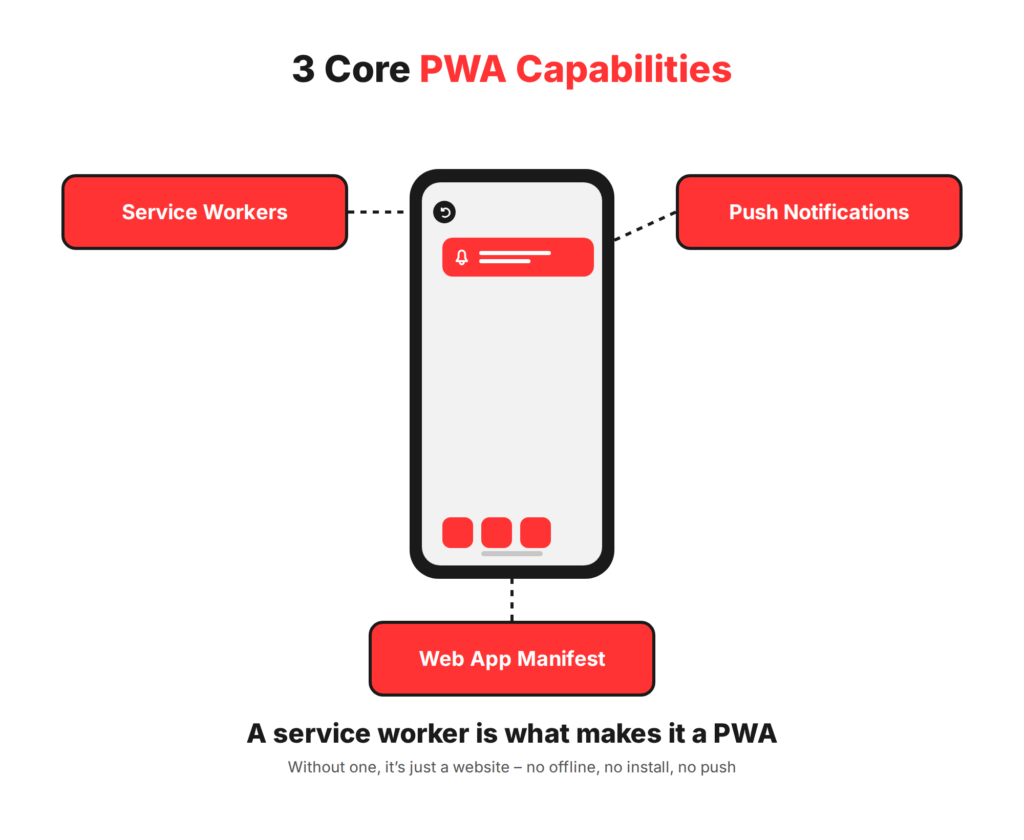
Service workers are JavaScript files that run in the background, separate from the main browser thread. They intercept network requests, manage caching strategies, enable offline functionality, and power push notifications. A service worker is what fundamentally separates a PWA from a standard website.
Web app manifests are JSON files that tell the browser how the application should appear when installed: the app name, icon, splash screen, and display mode. When a manifest is present alongside a service worker, modern browsers prompt users to add the app to their home screen.
Push notifications allow the PWA to re-engage users even when they are not actively using the app, through the same browser notification infrastructure that desktop browsers have supported for years. Combined with offline support, these capabilities close most of the gap between what users expect from a native app and what a web application can deliver.
PWA vs Native App vs Hybrid App
The comparison between PWA and native app development is not a simple quality ranking. It is a trade-off matrix that depends on the specific use case, budget, target audience, and required device integrations.
Native apps are built specifically for iOS or Android using platform-native languages and frameworks. They have unrestricted access to device hardware, the strongest performance ceiling, and the best experience for camera-intensive, Bluetooth-dependent, or graphically demanding use cases. The trade-off is cost: building for both platforms typically requires two separate codebases or a cross-platform framework, and distribution through app stores adds friction to the user acquisition process.
Hybrid apps use a web view wrapped in a native shell, built with frameworks like Ionic or Capacitor. They share code across platforms and can access native APIs through plugins, but they inherit web view performance constraints that make them unsuitable for high-performance use cases.
Progressive web apps are standard web applications served over HTTPS. They are indexed by search engines, installed without an app store, updated instantly without user action, and accessible on any device with a modern browser.
For content-driven, e-commerce, media, and B2B tool use cases, they frequently outperform native apps on total cost of ownership and time to market. Web development capability is the foundation of PWA development, and any firm with strong web engineering skills can build PWAs, provided they also understand service worker architecture and performance optimisation.
When Should You Build a PWA Instead of a Native App?
Use Cases Where PWAs Outperform Native
PWAs are most effective when the primary user interaction is content consumption, transactional, or productivity-oriented rather than hardware-intensive.
E-commerce is the highest-performing PWA category. The combination of fast load times, offline browsing capability for product catalogues, and home screen installation produces measurable conversion improvements for mobile shoppers who previously abandoned sites with slow load times. Starbucks, Pinterest, and Alibaba all reported double-digit conversion improvements after launching PWAs.
B2B tools and internal applications benefit from PWAs’ ability to deliver a consistent experience across devices without requiring IT departments to manage app store distribution and update cycles. A field service tool, a sales dashboard, or an inventory management interface accessed by employees on a range of devices is an ideal PWA use case.
Content and media platforms benefit from service worker caching that allows users to read articles or consume media offline, combined with push notifications that drive re-engagement at the same rate as native apps for this content category. PWA development services for media clients consistently produce lower infrastructure costs because cached content reduces server request volume.
Where Native Apps Still Win
PWAs have real limitations that make native apps the better choice in specific scenarios.
Advanced camera control, augmented reality, Bluetooth and NFC device pairing, background processing beyond what service workers support, and access to device sensors such as accelerometers and gyroscopes for gaming or fitness applications all require native API access that PWAs cannot fully replicate.
App store presence also matters for certain audiences. Some users simply do not install PWAs via browser prompts, either because they are unfamiliar with the mechanism or because iOS Safari’s PWA support is meaningfully more limited than Chrome’s on Android.
For applications targeting an iOS-primary audience that requires full push notification and background sync support, a native or hybrid approach may be more appropriate. Mobile app development expertise is relevant here — the best development partners can advise on the right approach for the specific use case rather than recommending PWA universally.
What to Look for in a PWA Development Company
Technical Stack and Web Expertise
A credible progressive web app agency demonstrates deep proficiency in modern JavaScript frameworks — React, Angular, or Vue — combined with specific service worker implementation experience. Service workers are notoriously difficult to debug and update correctly; a firm without prior production service worker deployments will encounter problems that an experienced firm would have resolved on a previous project.
Ask to see their service worker implementation approach for a past project. Ask how they handle cache invalidation when a new app version is deployed. Ask how they manage service worker update cycles without breaking sessions for active users. These questions reveal genuine implementation depth rather than theoretical knowledge.
Performance Optimisation Track Record
Performance is the central technical requirement of PWA development. A PWA that loads slowly or scores poorly on Core Web Vitals fails its primary value proposition. Lighthouse scores above 90 for Performance, Accessibility, Best Practices, and SEO are the standard to expect from a competent progressive web app development company.
Ask for Lighthouse reports from live deployed PWAs in their portfolio, not from demo environments. Ask specifically about their approach to image optimisation, code splitting, lazy loading, and critical rendering path optimisation. These are the implementation details that separate a technically sound PWA from one that performs well in controlled conditions but degrades on a 3G mobile connection.
Cross-Browser and Cross-Device Testing
PWAs must perform reliably across a wide range of browser and device combinations that native apps do not encounter. iOS Safari has historically lagged behind Chrome in PWA feature support — push notifications on iOS were only added in iOS 16.4 — and its service worker implementation has specific constraints that require explicit testing.
A development partner who tests only on desktop Chrome is building a PWA that will fail for a significant portion of real users. Ask specifically how they test on iOS Safari, Android Chrome, Samsung Internet, and Firefox. Ask whether they use device labs, browser stack testing tools, or real device testing. The answer reveals whether cross-browser testing is a genuine part of their QA process or an afterthought.
Portfolio of Shipped PWAs
Case studies with measurable outcomes are the most reliable signal of PWA development competence. Ask for live PWA deployments, not mockups or prototypes. Open the delivered PWAs in Chrome DevTools and check whether they pass the PWA checklist — a service worker registered, a valid manifest, HTTPS, and offline capability. A firm that cannot show you live, functioning PWAs has not shipped production PWAs regardless of what their case studies claim.
Review performance metrics in the portfolio. Did the PWA achieve the Core Web Vitals thresholds for LCP, FID, and CLS? What was the real-world load time on mobile? What user outcome metrics improved after launch? Firms with genuine PWA delivery experience can answer these questions from their own project data.
Custom software development portfolios that include PWA work alongside web and mobile projects indicate a full-stack capability that is more valuable than PWA-only specialisation.
Questions to Ask a PWA Development Company Before Hiring
Technical Discovery Questions
- How do you assess the caching strategy for a new PWA project — what factors determine whether you use cache-first, network-first, or stale-while-revalidate?
- How do you handle service worker updates for users who have an old version cached on their device?
- What is your approach to push notification implementation across iOS and Android given the differences in browser support?
- How do you test offline functionality and what are the most common failure modes you have seen in production?
- Which performance metrics do you track in delivery and what thresholds do you target for Lighthouse scores?
Post-Launch Support Questions
- Who maintains the service worker after launch and how do browser API deprecations get handled?
- How do you monitor PWA performance in production — what tools do you use and how frequently are they reviewed?
- What is the process for rolling out a new app version without disrupting users who have the current version cached?
- Is post-launch performance monitoring included in the engagement or priced separately?
How American Chase Builds Progressive Web Apps
Our PWA Development Process
American Chase builds PWA development services using a structured process that begins with a technical discovery phase covering offline requirements, target device and browser matrix, caching strategy, and push notification scope before any code is written. This phase prevents the mid-project discoveries that inflate timelines and budgets in PWA projects where service worker architecture decisions are difficult to reverse after the build has begun.
Development runs in two-week sprint cycles with performance benchmarking at the end of each sprint. Lighthouse scores are tracked throughout the build rather than measured only at delivery. Cross-browser testing on iOS Safari, Android Chrome, and desktop browsers is conducted at each sprint, not deferred to a final QA phase.
Cloud and DevOps integrations are embedded in the deployment pipeline, enabling automated Lighthouse testing on every build and instant cache invalidation on deployment.
Post-launch, American Chase provides monitoring covering Core Web Vitals trends, service worker error rates, push notification delivery rates, and browser compatibility as new browser versions are released.
The same engineering team that built the PWA handles post-launch support, ensuring that service worker updates and performance regressions are addressed by engineers who understand the implementation rather than a separate support team learning the codebase from documentation.
For product teams evaluating a PWA as a starting point before expanding to native, American Chase’s MVP development approach applies the same structured discovery and sprint methodology to a focused initial scope. Visit americanchase.com to discuss your PWA development requirements.
FAQs About Progressive Web App Development Companies
What is a progressive web app development company?
A progressive web app development company builds web applications enhanced with service workers, web manifests, and push notification APIs that give them native app-like behaviour without app store distribution. The best firms combine modern JavaScript framework expertise with service worker architecture knowledge and performance optimisation capability across the full range of browsers and devices.
How much does it cost to build a progressive web app?
A focused PWA with core functionality, offline support, and push notifications typically costs $25,000 to $80,000. A full-featured PWA with complex back-end integrations, advanced caching strategies, and multi-language support ranges from $80,000 to $200,000. Costs vary by feature scope, integration complexity, and the performance optimisation depth required to achieve target Core Web Vitals scores.
How long does it take to develop a PWA?
A focused PWA typically takes 8 to 14 weeks from discovery to launch. A more complex PWA with significant back-end development and multiple third-party integrations takes 4 to 6 months.
What is the difference between a PWA and a native app?
A native app is built for a specific operating system using platform-specific languages and distributed through app stores. A PWA is a web application served over HTTPS that uses service workers and manifests to deliver app-like experiences without app store distribution. PWAs are cheaper to build and maintain, discoverable by search engines, and instantly updated without user action.
Can a PWA be added to the home screen like a native app?
Yes. When a PWA includes a valid web app manifest and a registered service worker served over HTTPS, modern browsers prompt users to install it to their home screen. On Android Chrome, this produces an experience nearly identical to a native app install. On iOS Safari, the user must manually add to the home screen through the share menu without a browser prompt.
Do PWAs work offline?
Yes, through service worker caching. Service workers intercept network requests and serve cached content when no connection is available. The offline experience depends on the caching strategy implemented: a content app might cache articles for offline reading, while a transactional app might cache the UI and queue user actions for sync when connectivity is restored. Offline capability requires deliberate architecture decisions, not default behaviour.
Which industries benefit most from progressive web apps?
E-commerce, media and publishing, B2B SaaS tools, financial services dashboards, healthcare patient portals, and field service management tools benefit most from PWA development. These use cases share a common profile: content or transaction-focused interactions, diverse device environments, and audiences where fast load times and offline access directly improve engagement and conversion rates.
What technologies do PWA development companies use?
The front-end layer is typically built in React, Angular, or Vue. Service workers are written in vanilla JavaScript. Web app manifests are JSON files. Workbox, Google’s service worker library, is widely used to manage caching strategies. Back-end services use Node.js, Python, or other server technologies. Performance is measured using Lighthouse, Chrome DevTools, and real user monitoring tools like web-vitals.js.
Are PWAs better for SEO than native apps?
Yes. PWAs are standard web pages indexed by search engines, giving them the same SEO advantages as any well-optimised website. Native apps are not indexed by Google and require app store optimisation through a separate channel. For businesses where organic search is a primary acquisition channel, a PWA delivers both app-like user experience and full search engine discoverability in a single product.
How do I find a reliable PWA development company?
Ask for live PWA deployments and check them in Chrome DevTools for a valid service worker, manifest, and offline capability. Request Lighthouse scores from delivered projects. Ask specifically about their service worker update strategy and cross-browser testing process. Check third-party reviews on Clutch. Meet the engineers who will work on your project, not just the sales team.